How to update profile details in Eskayvie Website?
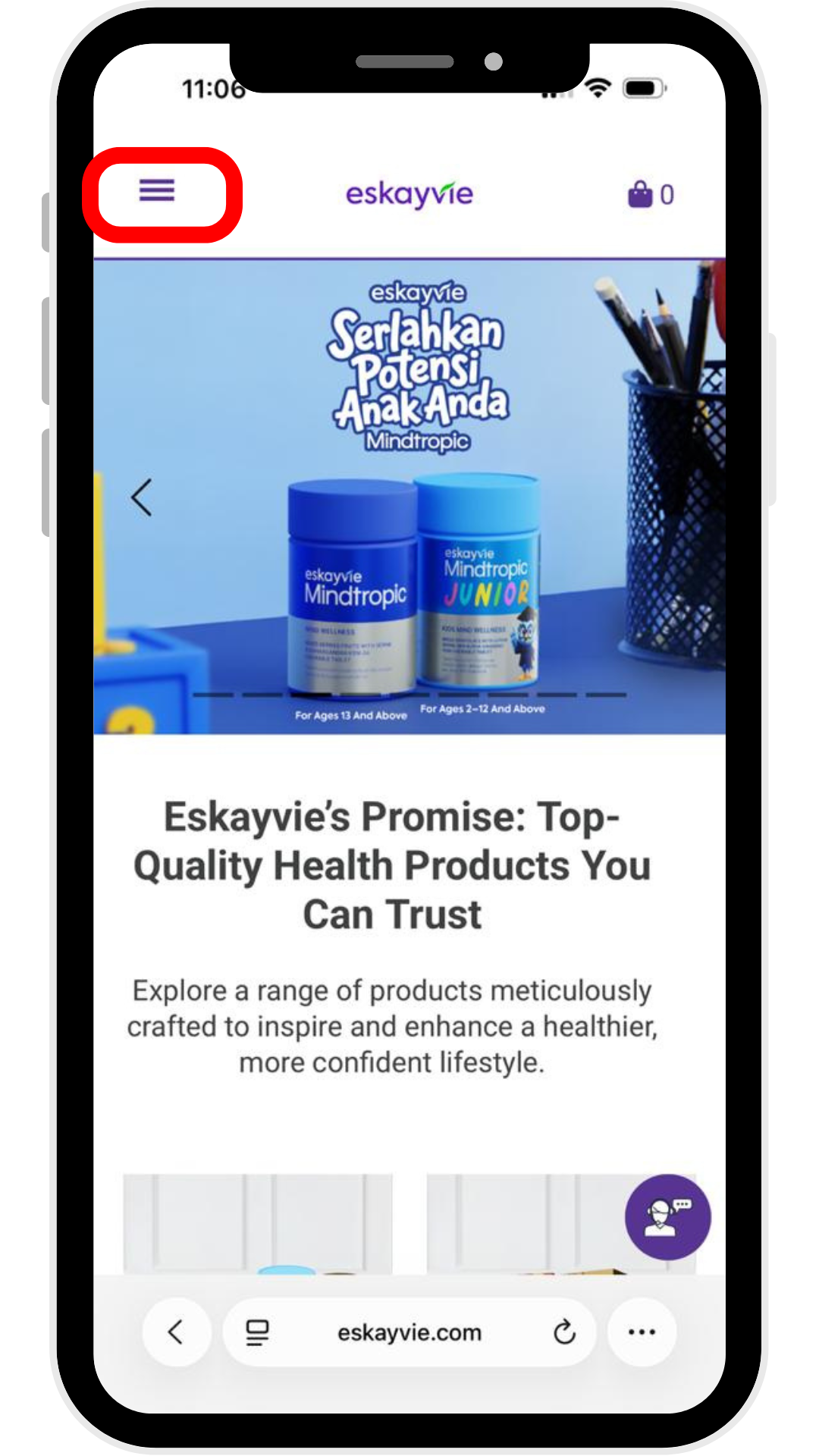
Step 1: Go to our official website - https://eskayvie.com/
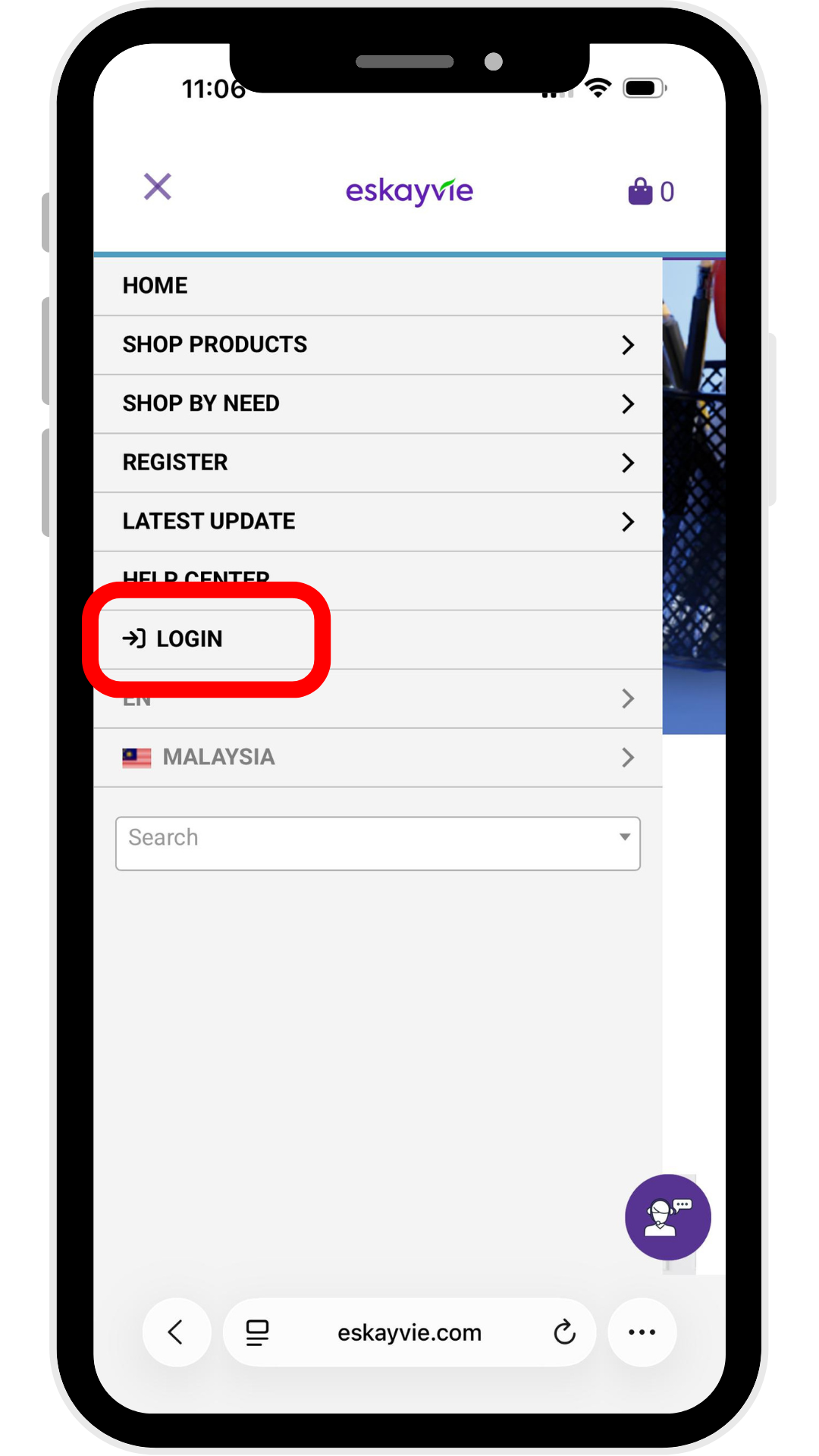
Click the three-line menu icon (hamburger menu) at the top left to the login page.
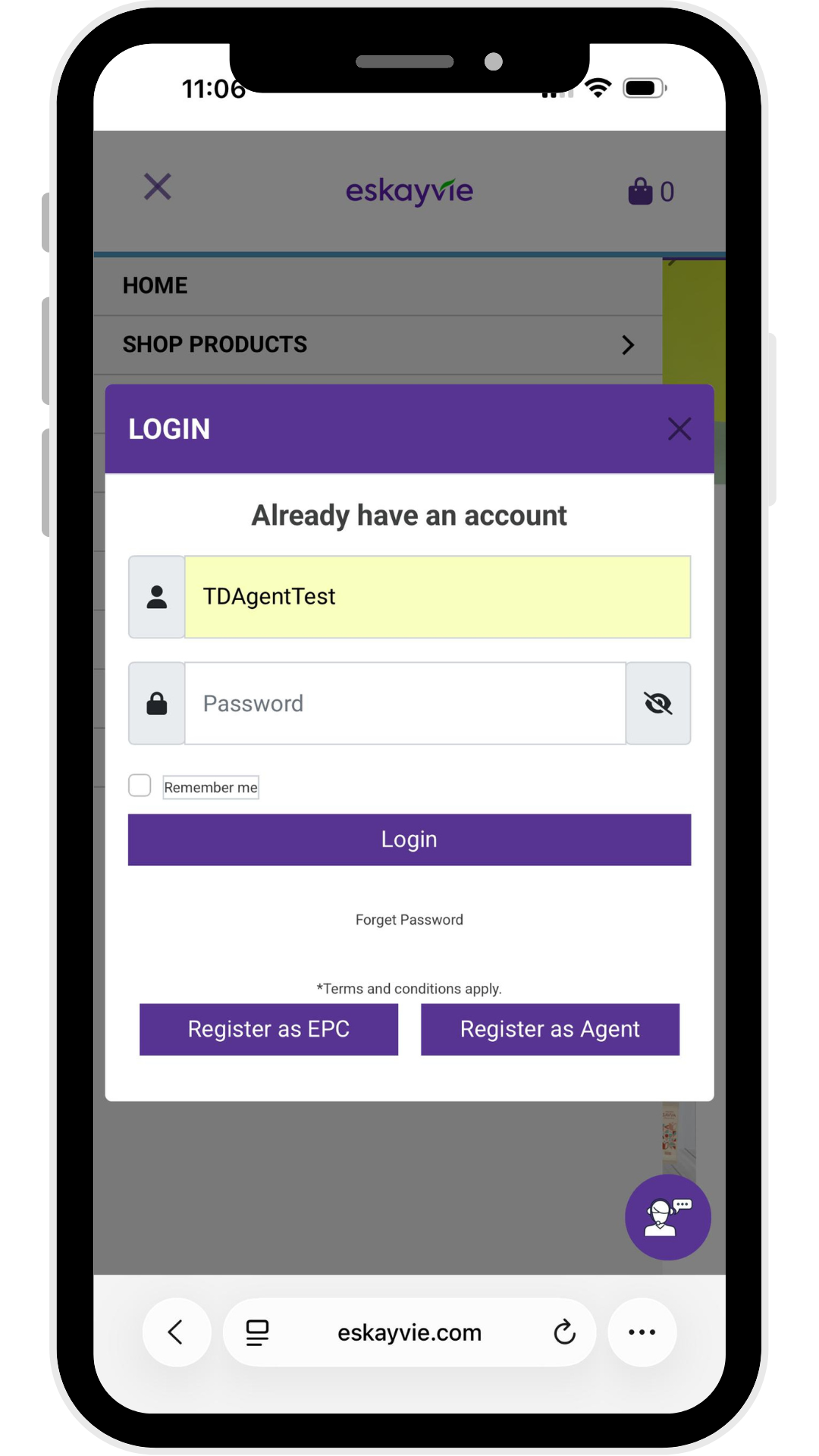
Step 2: Enter your Username & Password
p/s: Forgot your username? Please reach out to our Customer Support team.
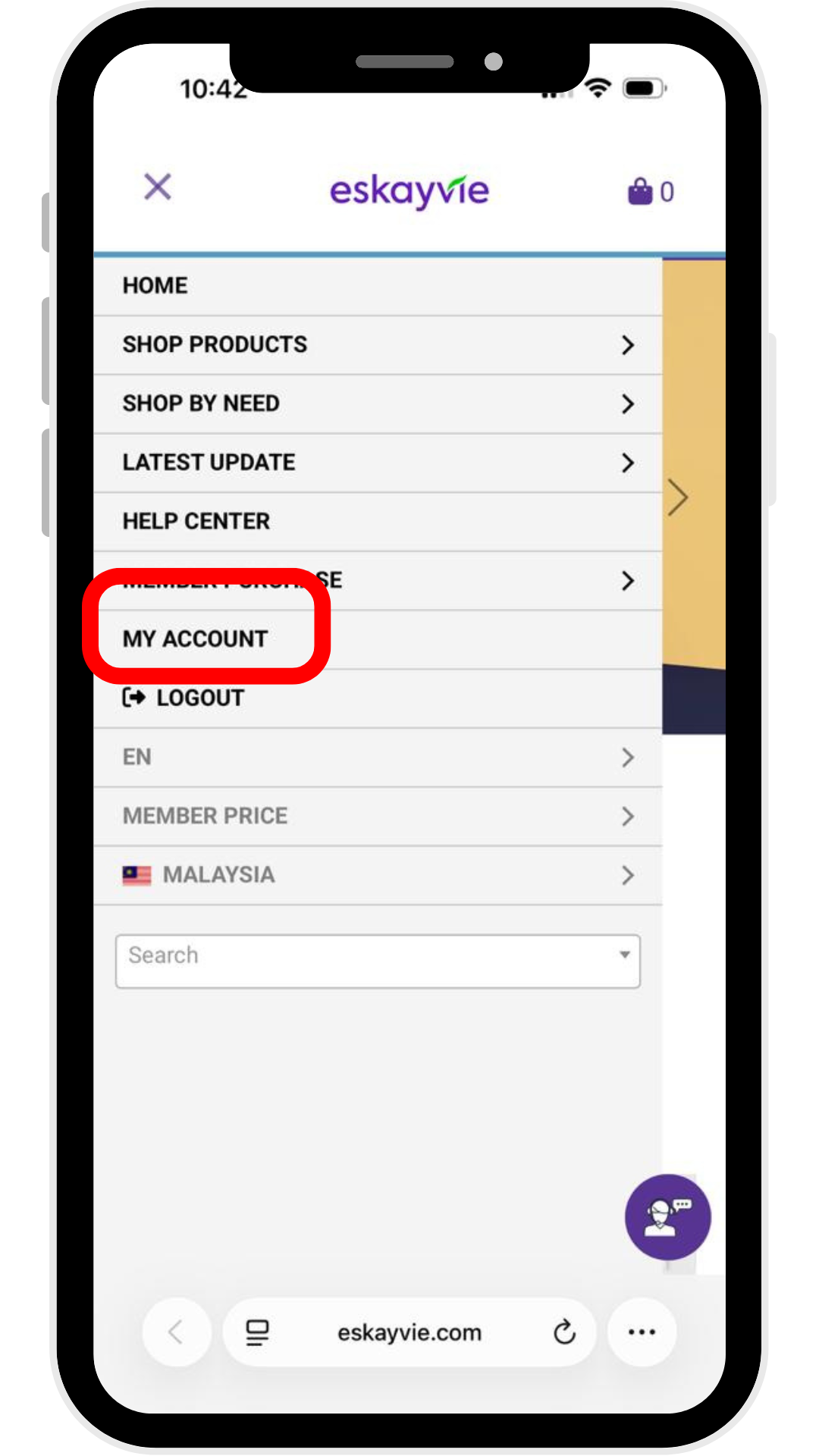
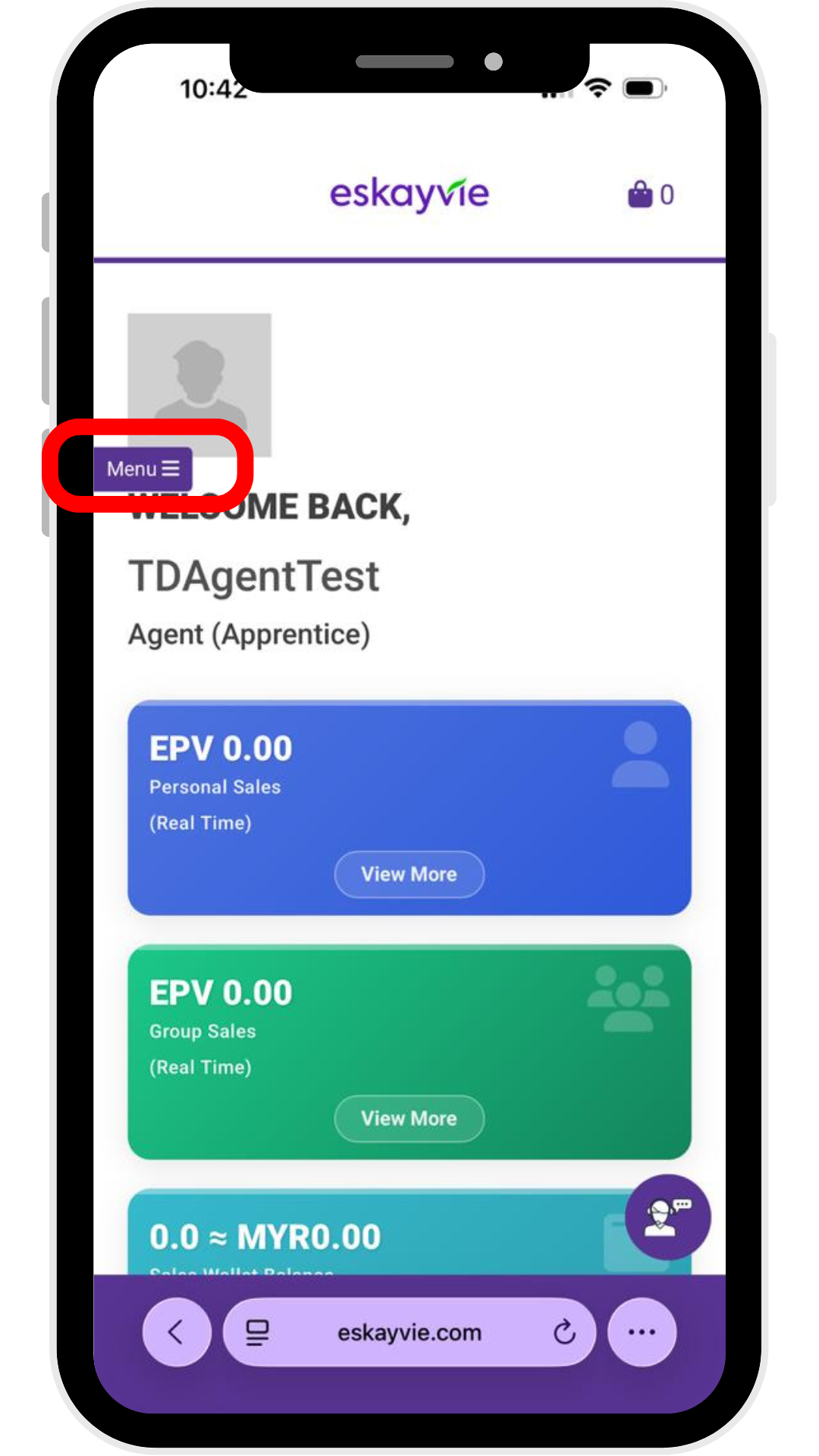
Step 3: Click "My Account" & click "Menu"
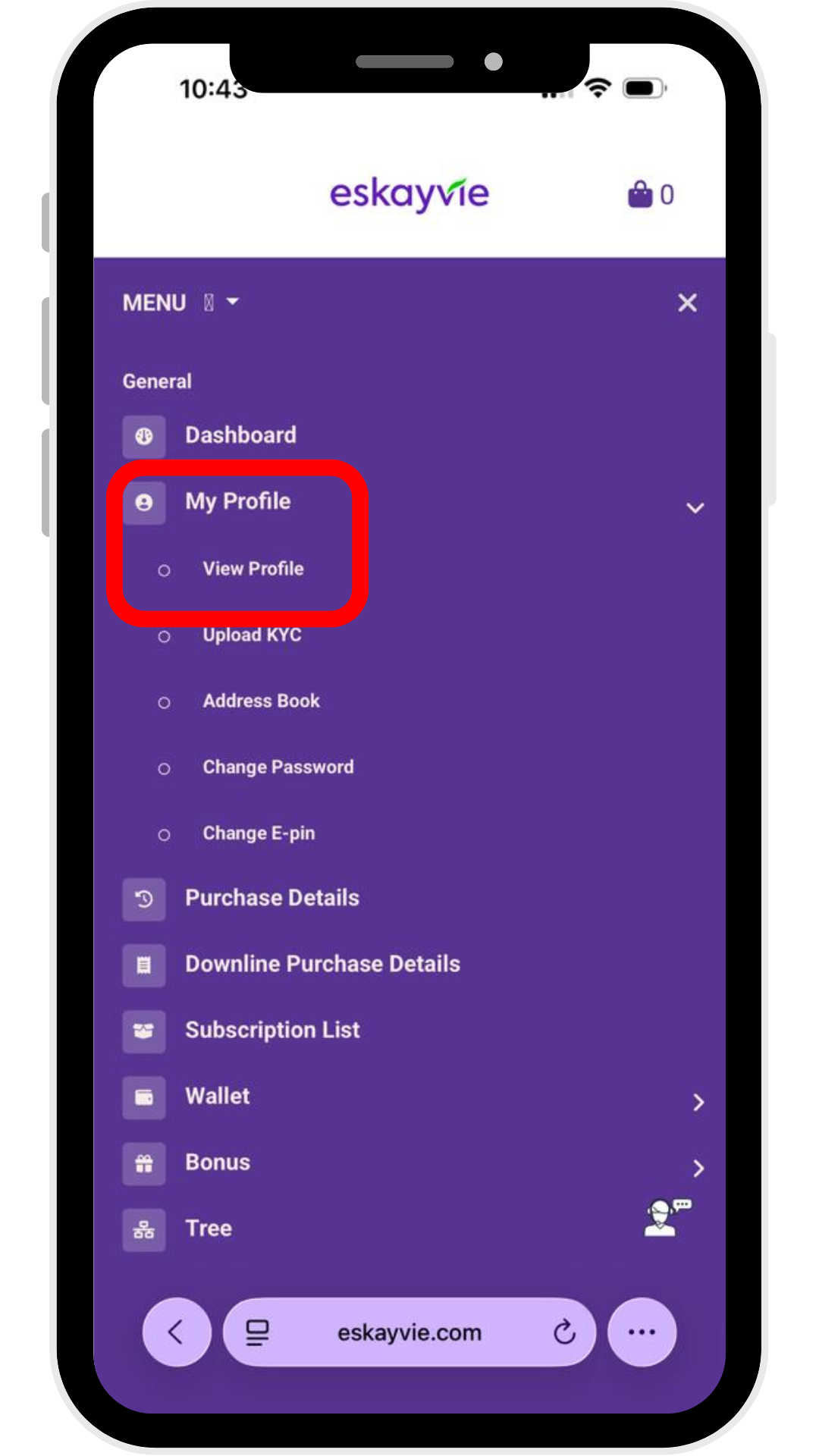
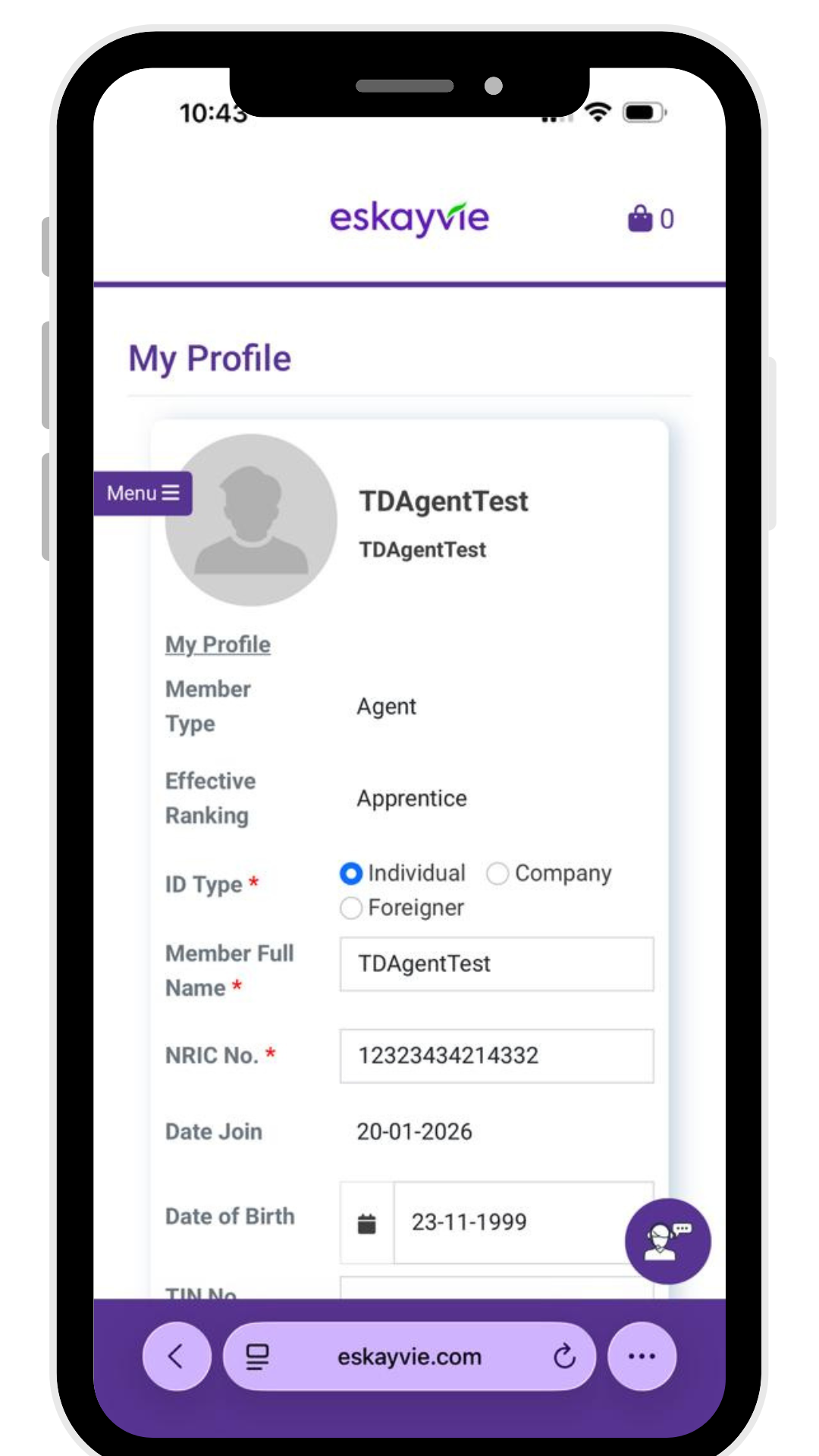
Step 4: Go to My Profile > View Profile to edit your information. Click Update to save your changes
Step 2: Enter your Username & Password
p/s: Forgot your username? Please reach out to our Customer Support team.
Step 3: Click "My Account" & click "Menu"
Step 4: Go to My Profile > View Profile to edit your information. Click Update to save your changes