How to Submit eKYC
Step 1: Visit Our Official Website- https://eskayvie.com/
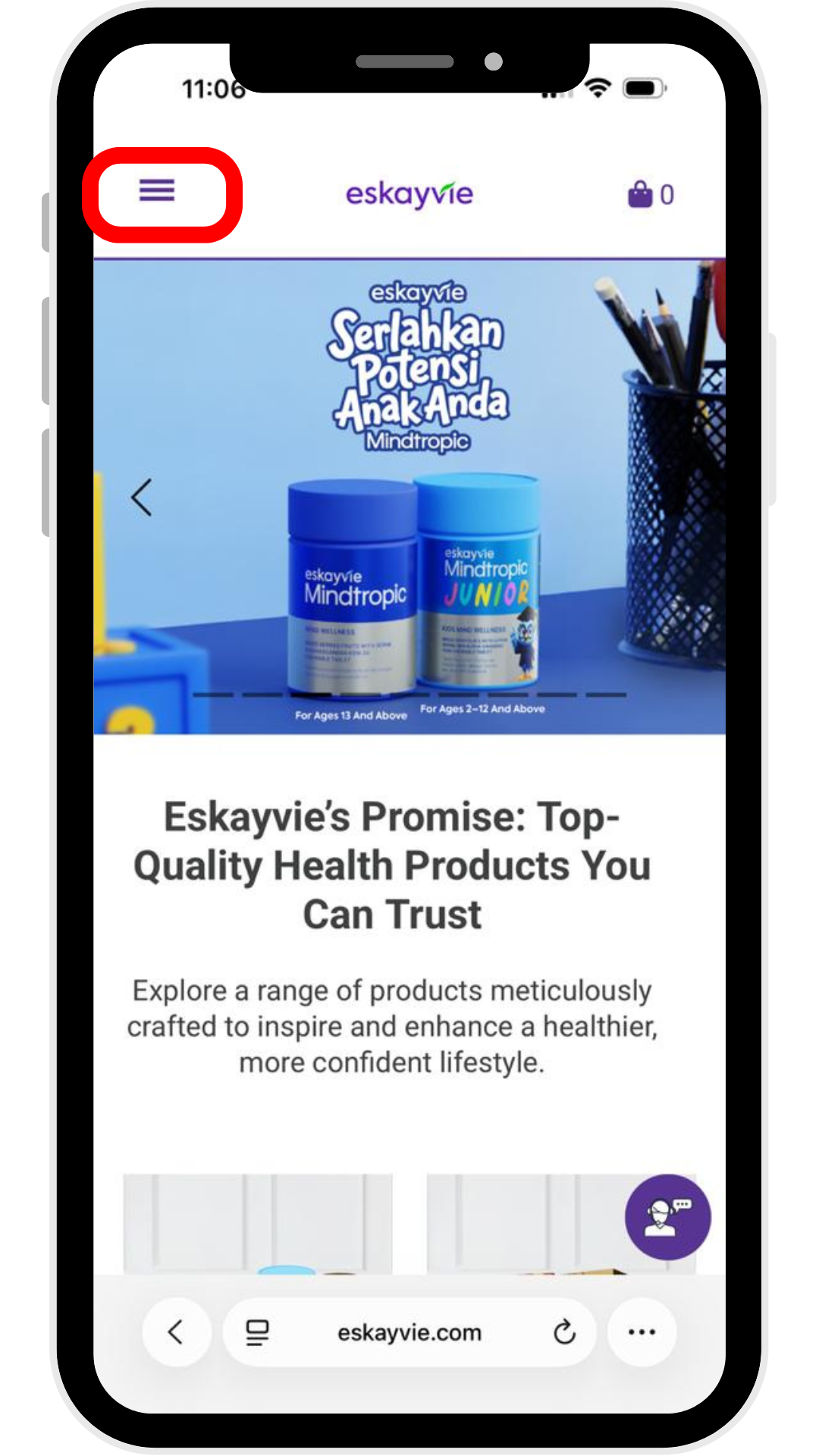
Go to eskayvie.com. Click the menu icon (hamburger menu) in the top-left corner to navigate to the login page.
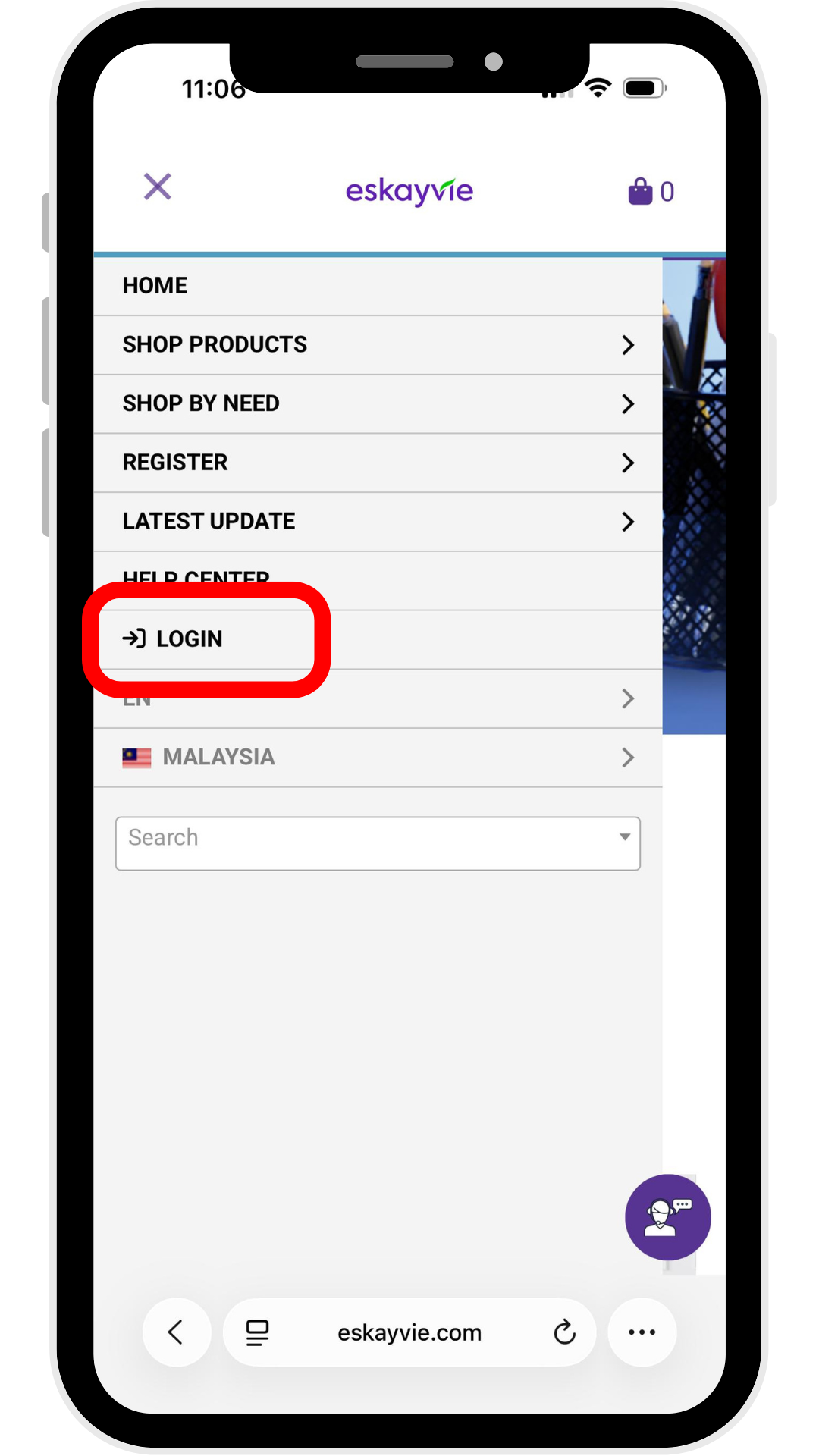
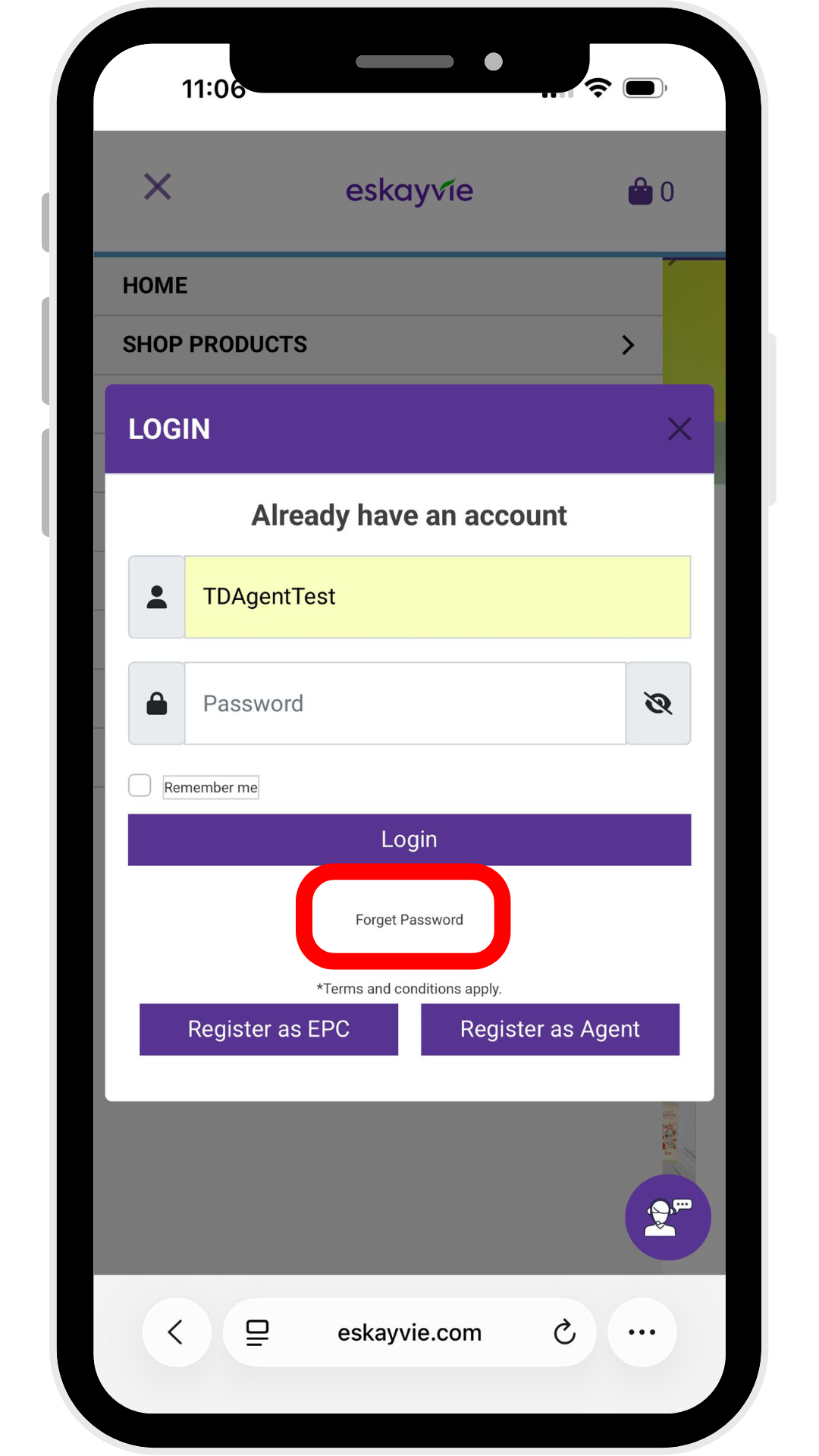
Step 2: Enter your Username and Password.
Note: Forgotten your username? Please contact our Customer Care team for assistance.
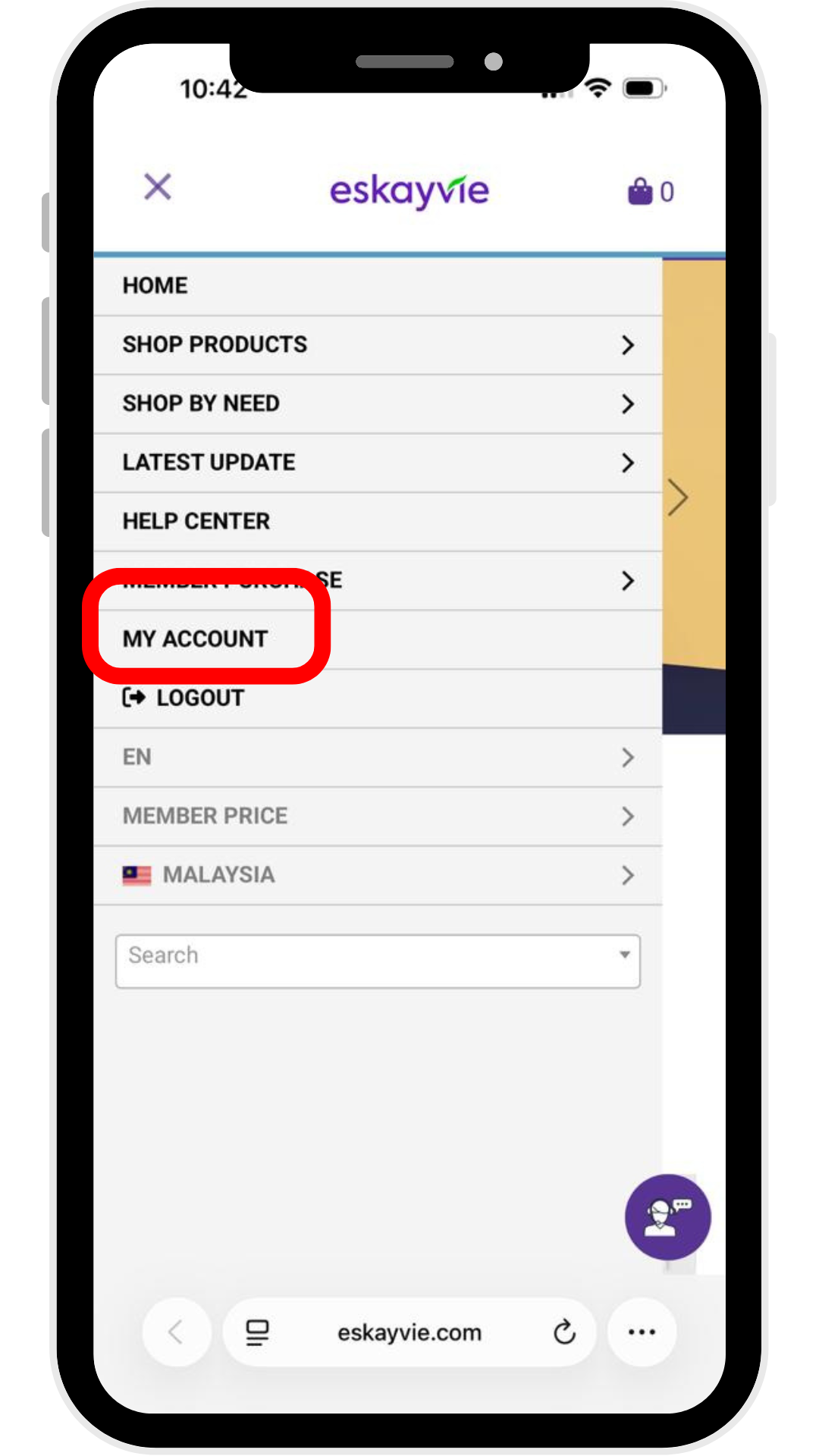
Step 3: Click "My Account", then select "Menu"
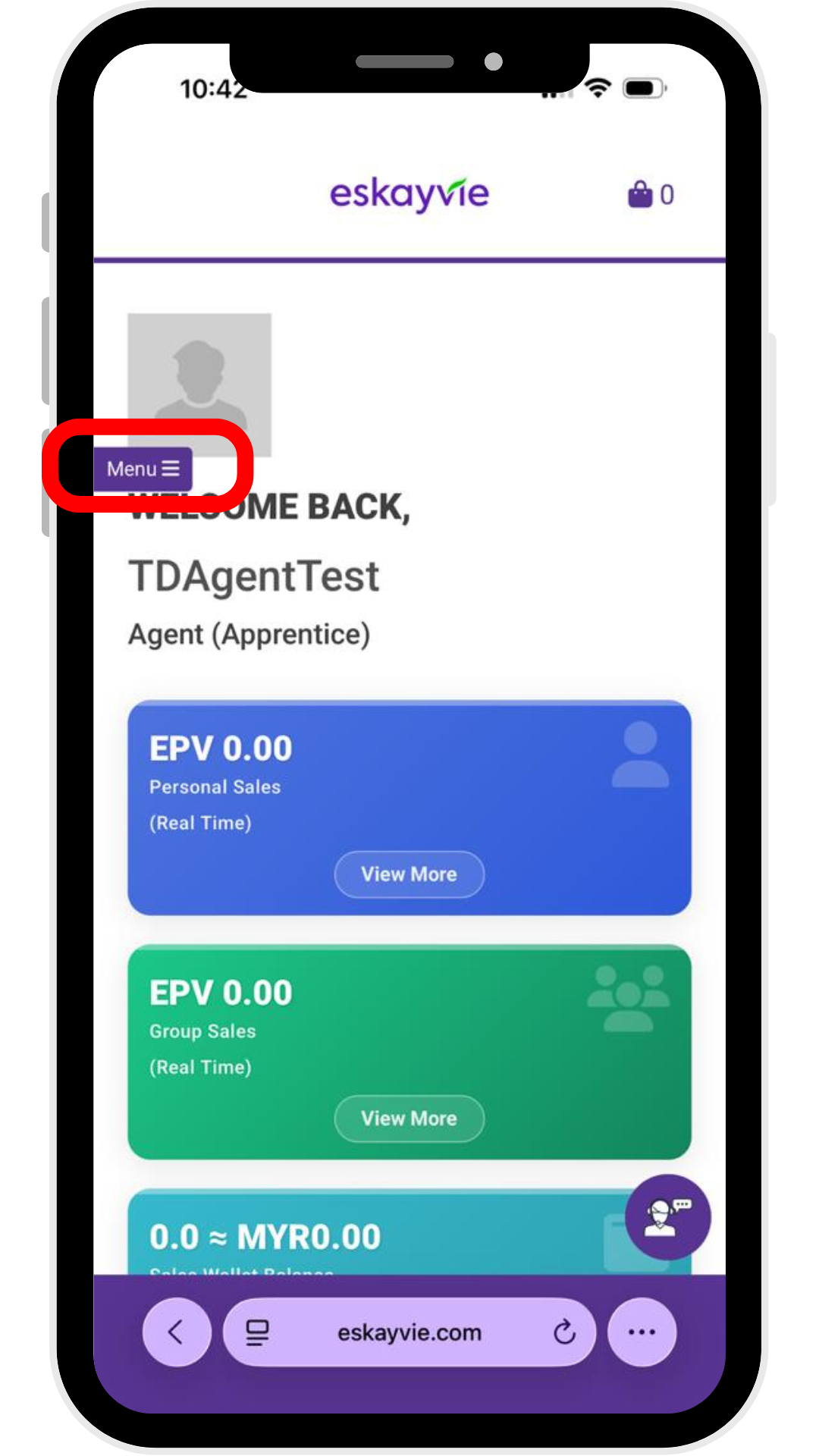
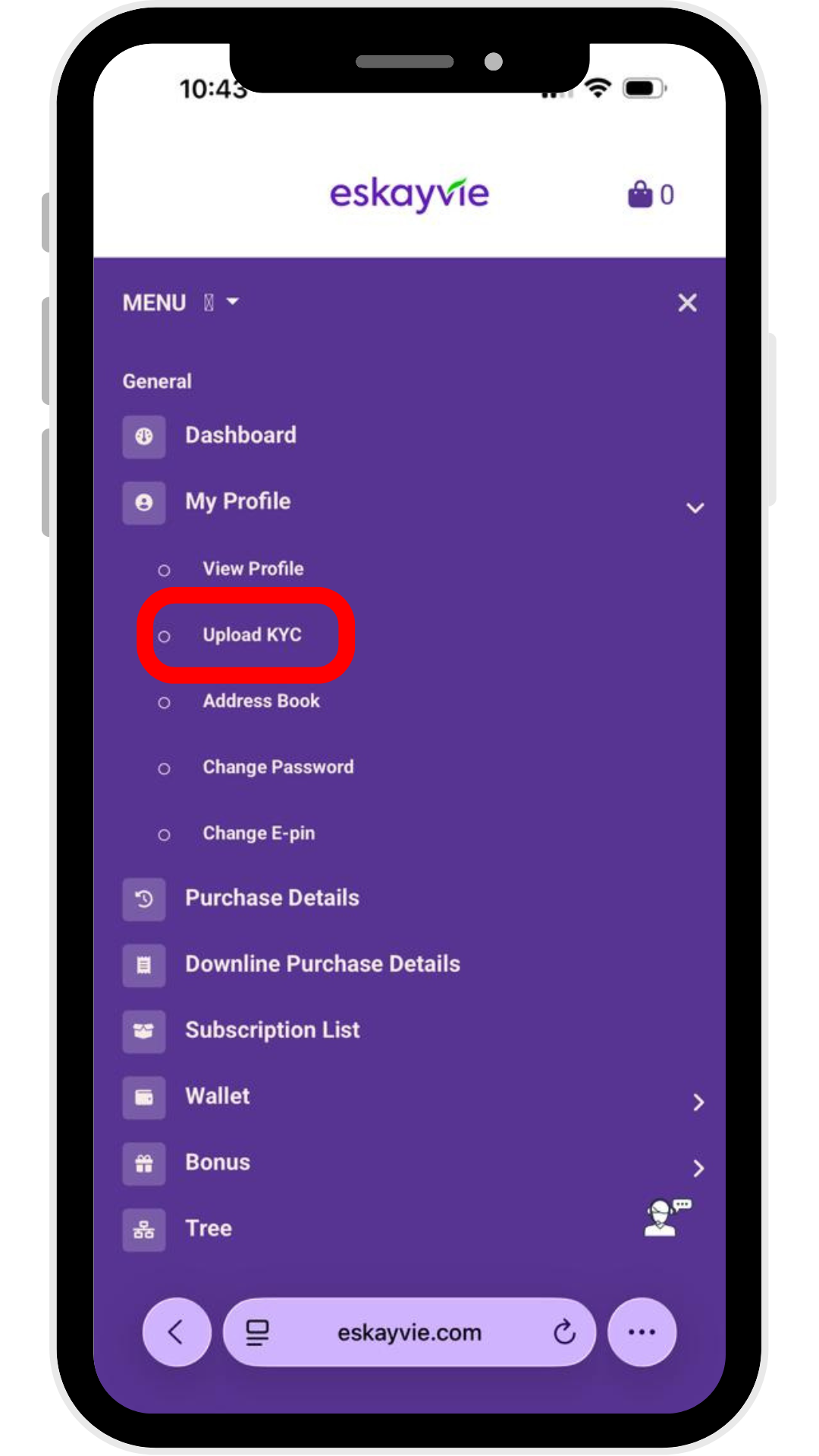
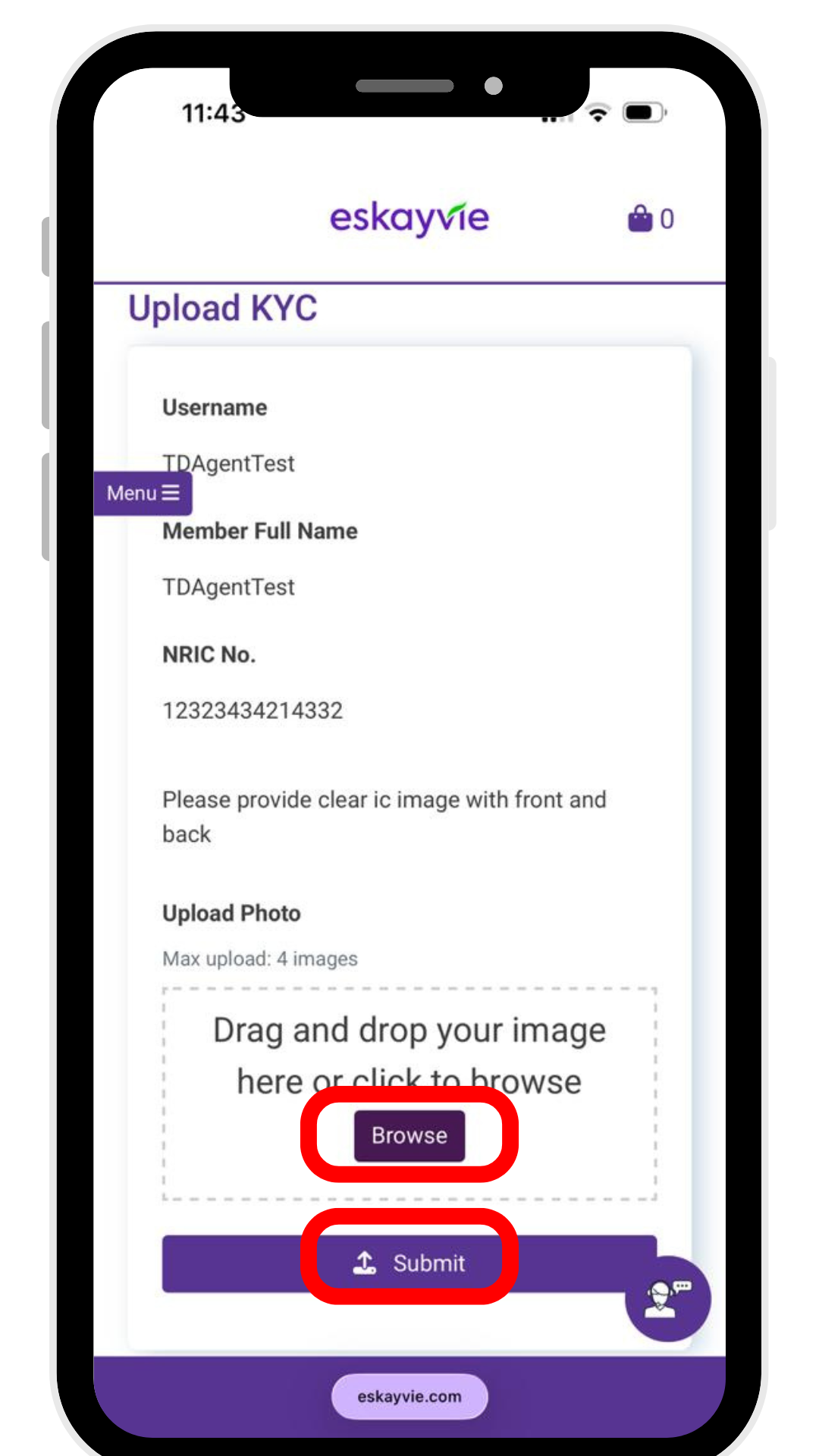
Step 4: Select "My Profile" and click "Upload KYC". Once you have attached your documents, click "Submit" to complete the process.
Note: Our team will process your verification within 7-14 working days.
Step 2: Enter your Username and Password.
Note: Forgotten your username? Please contact our Customer Care team for assistance.
Step 3: Click "My Account", then select "Menu"
Step 4: Select "My Profile" and click "Upload KYC". Once you have attached your documents, click "Submit" to complete the process.
Note: Our team will process your verification within 7-14 working days.