How to reset E-PIN
Step 1: Go to our official website - https://eskayvie.com/
Click the three-line menu icon (hamburger menu) at the top left to the login page.
Click the three-line menu icon (hamburger menu) at the top left to the login page.
Step 2: Enter your Username & Password
Once you have successfully logged in, click on MY ACCOUNT From there, select the "Menu" button to access more options
Step 3: Reset E-PIN
Under the General section, click the dropdown for My Profile and select the Change E-pin option.
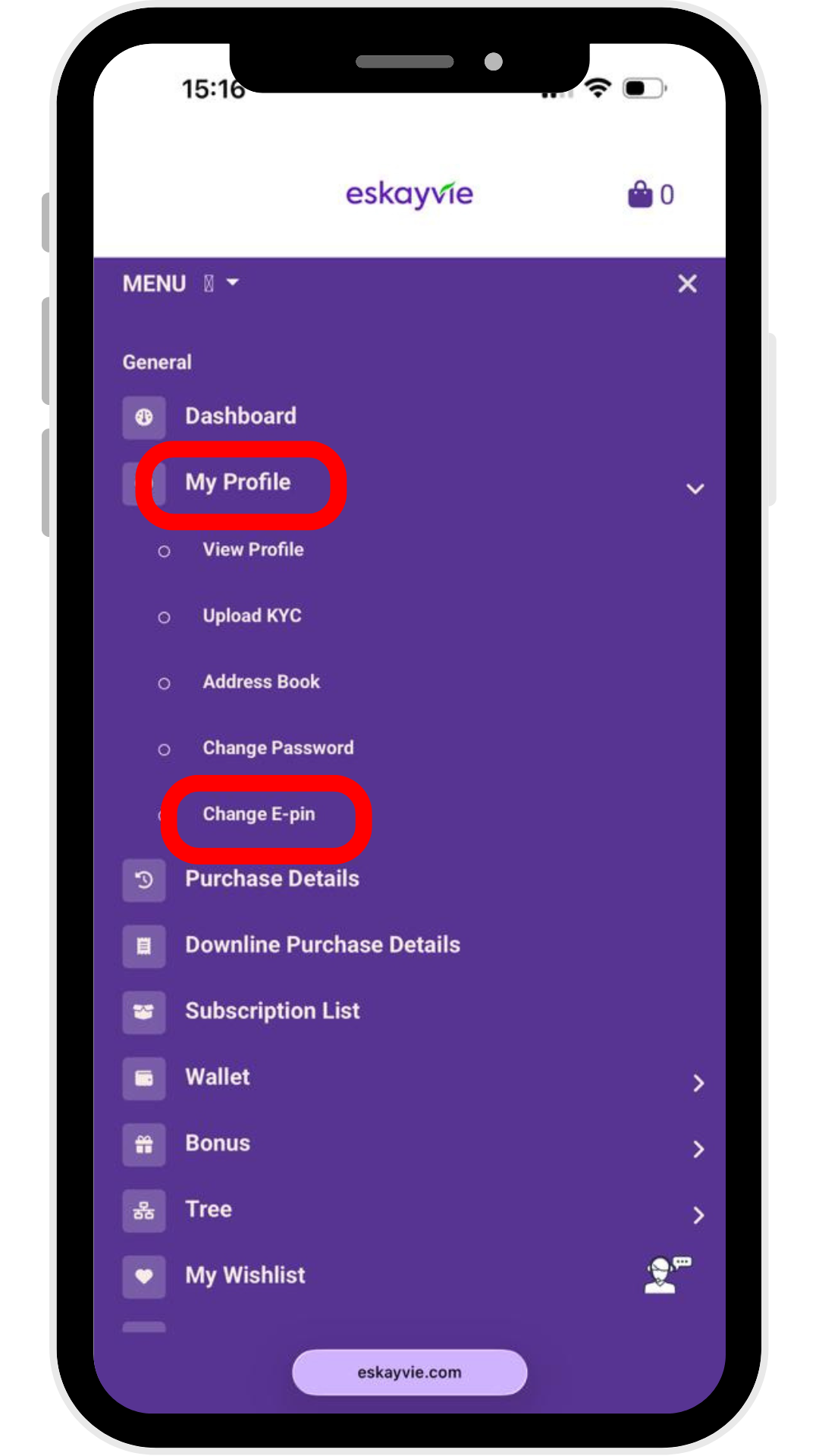
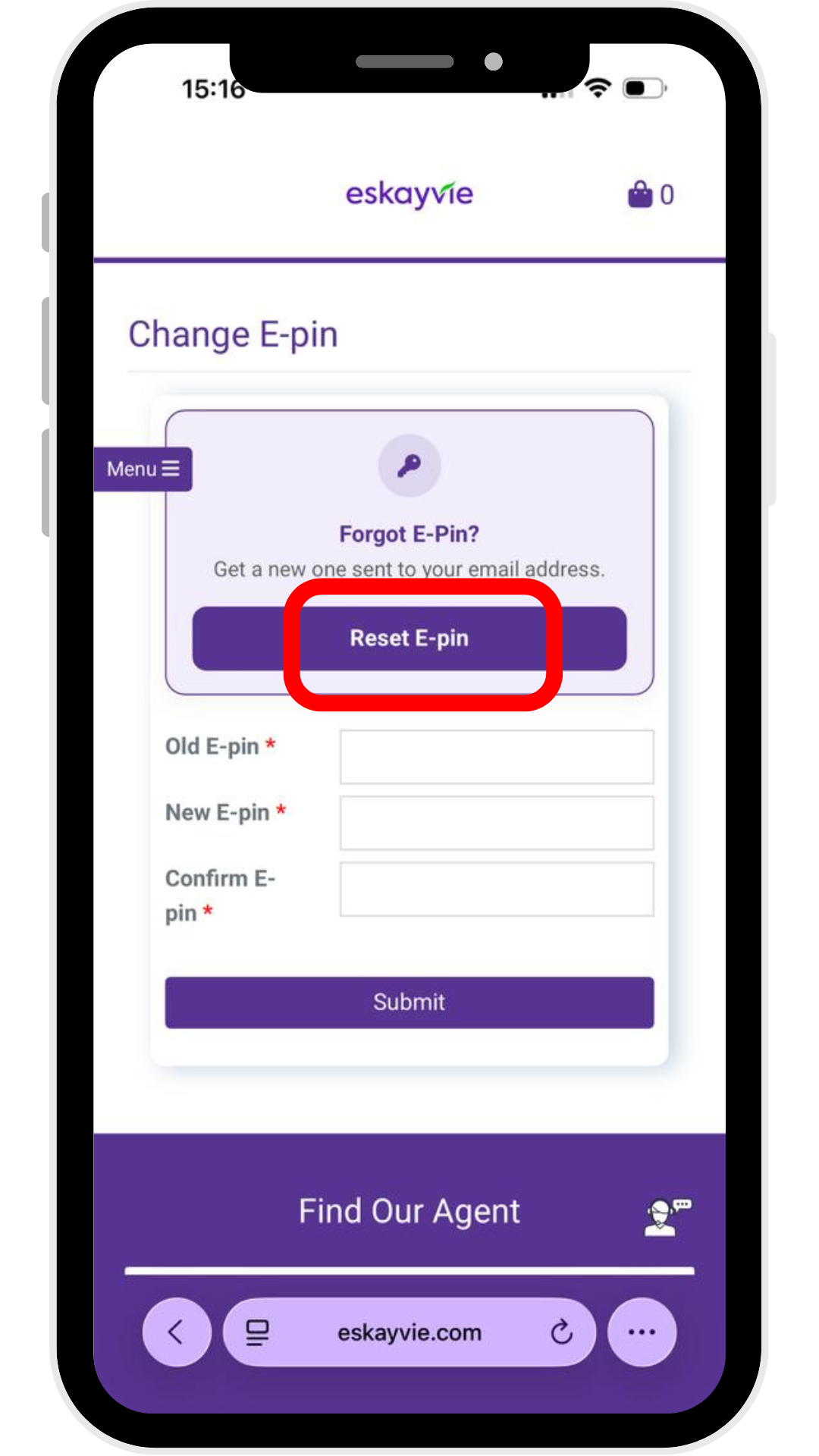
Under the General section, click the dropdown for My Profile and select the Change E-pin option.
Step 4: Check your Email
Check your email inbox and copy the new E-PIN provided
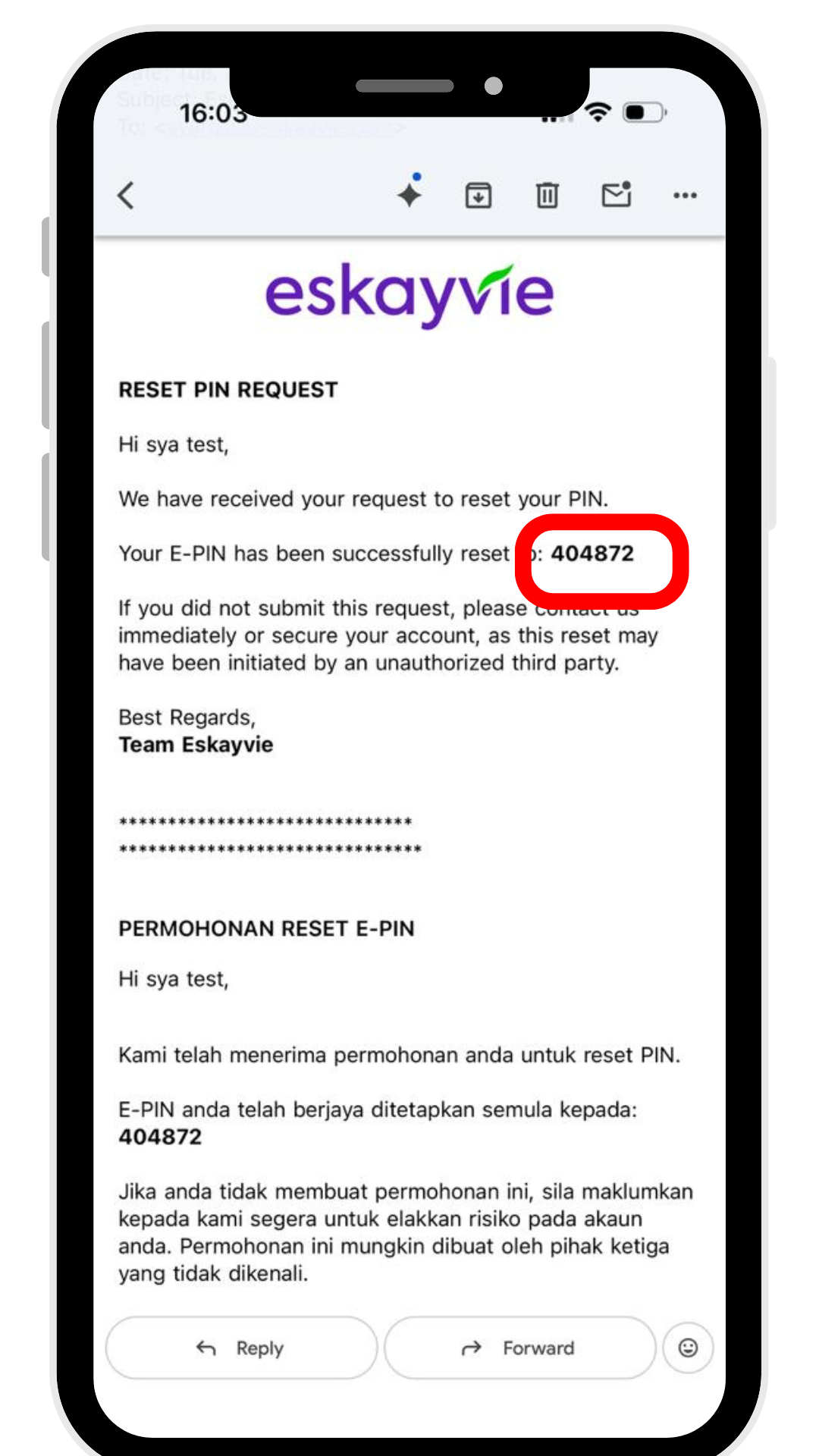
Check your email inbox and copy the new E-PIN provided