How to access my bonus statement
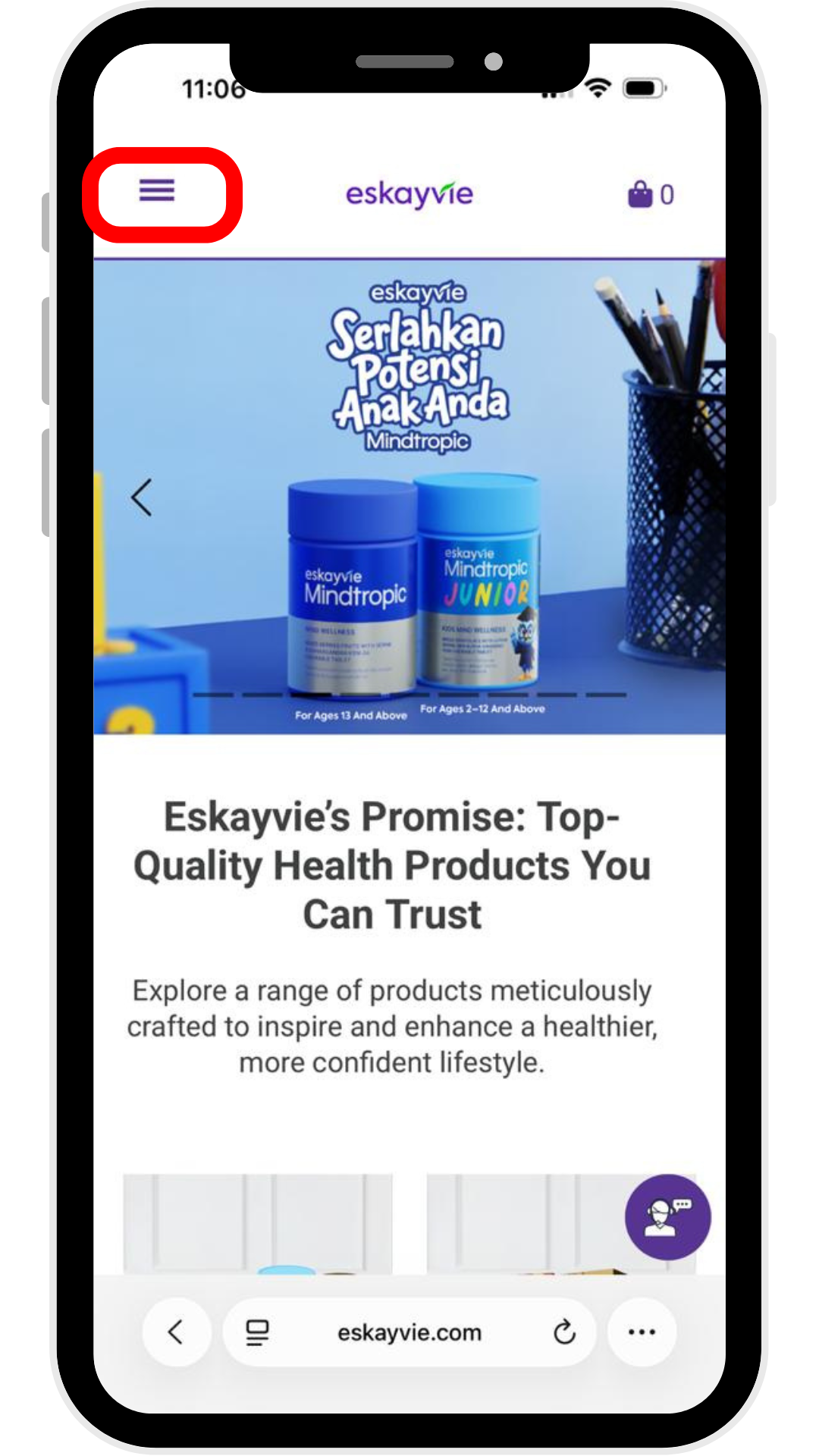
Step 1: Go to our official website - https://eskayvie.com/
Click the three-line menu icon (hamburger menu) at the top left to the login page.
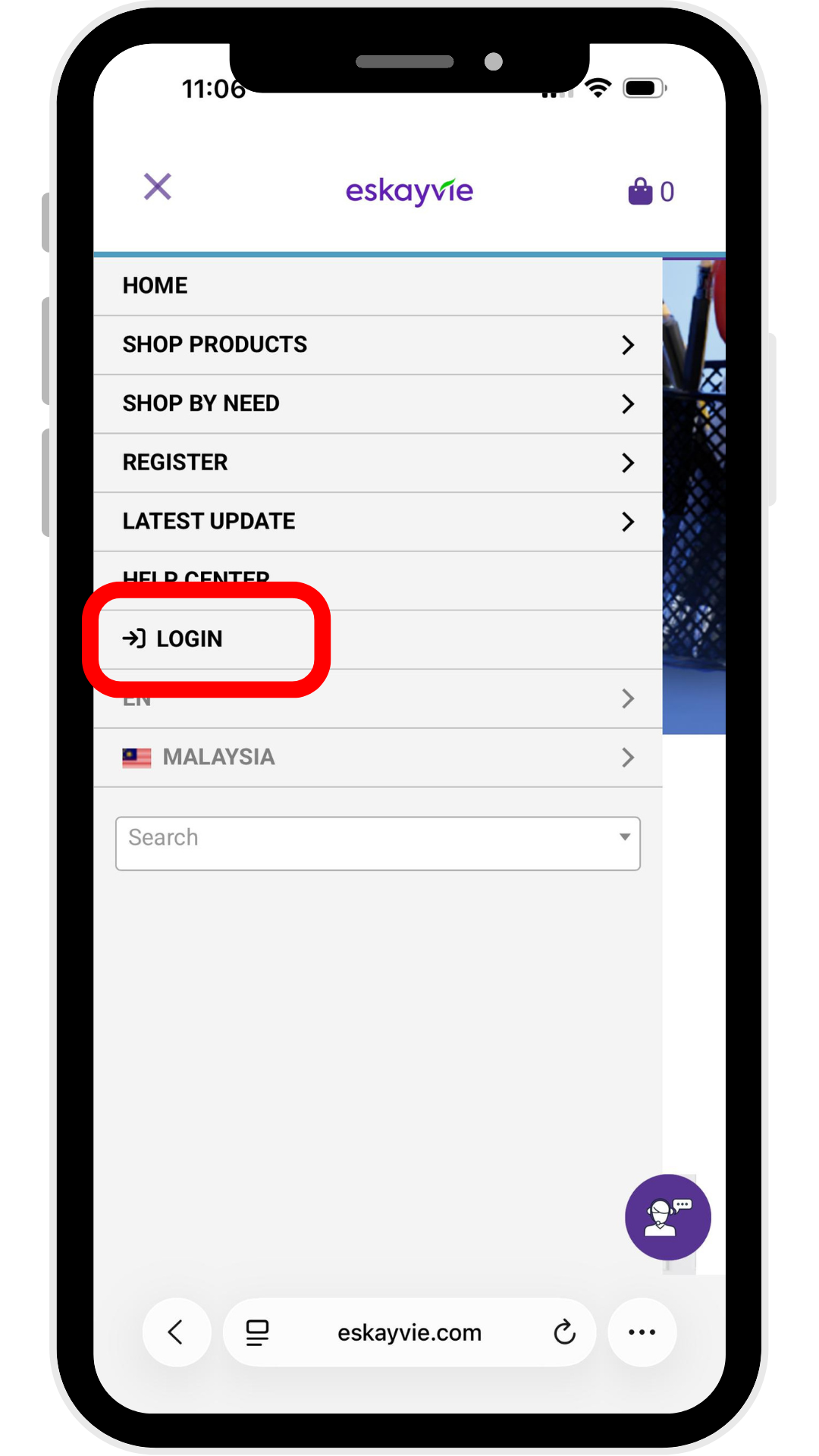
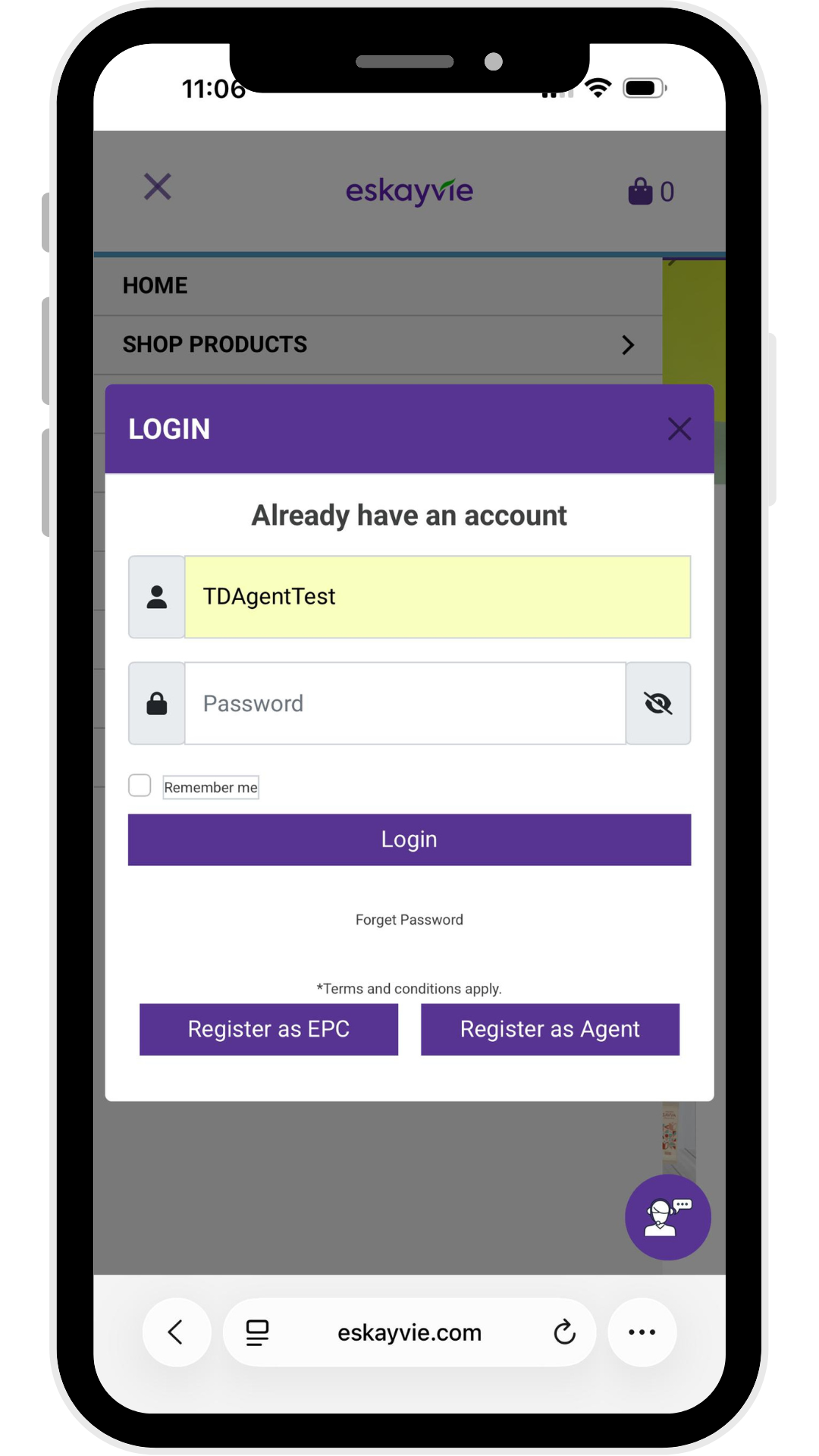
Step 2: Enter your Username & Password
p/s: Forgot your username? Please reach out to our Customer Support team.
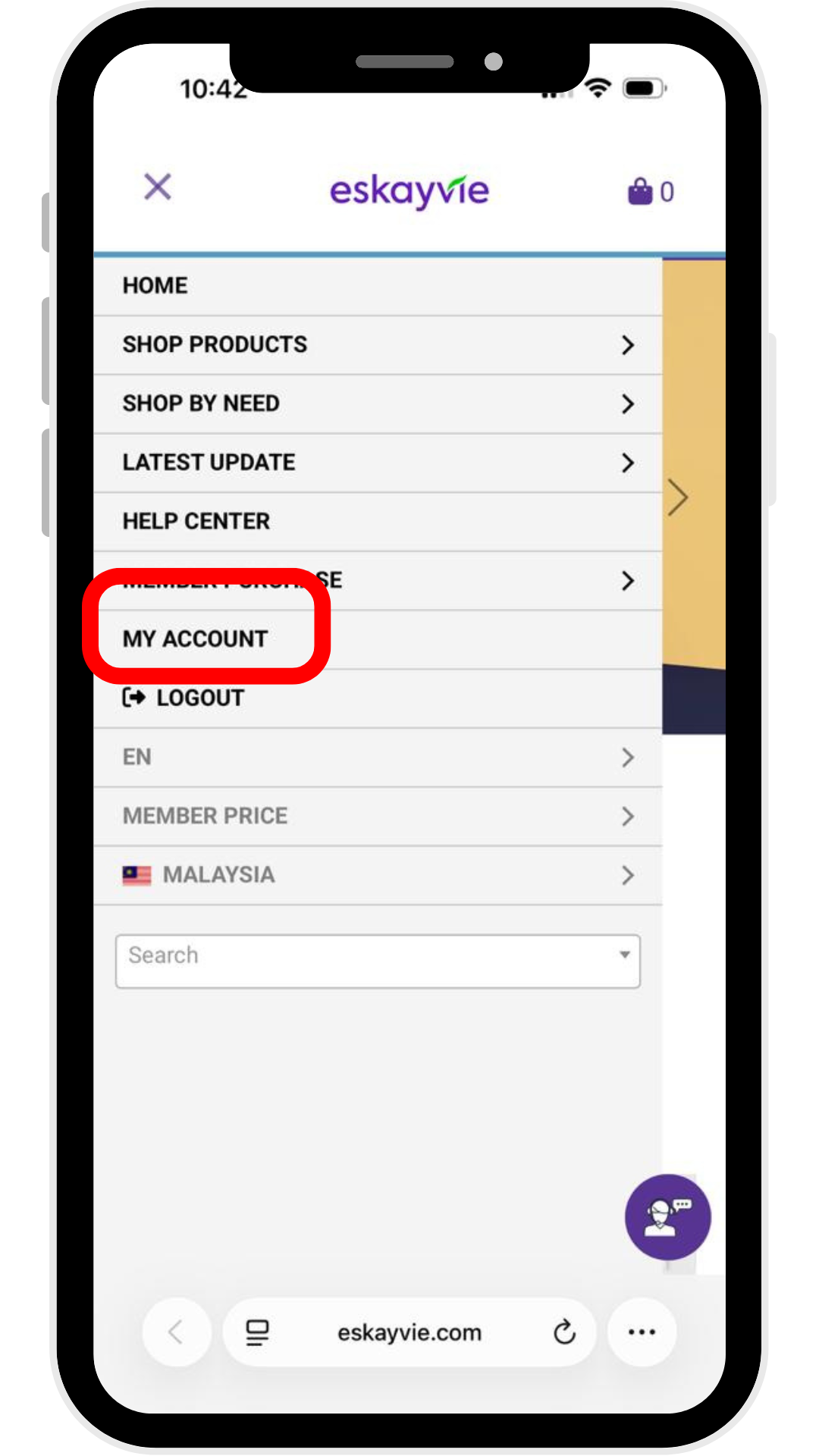
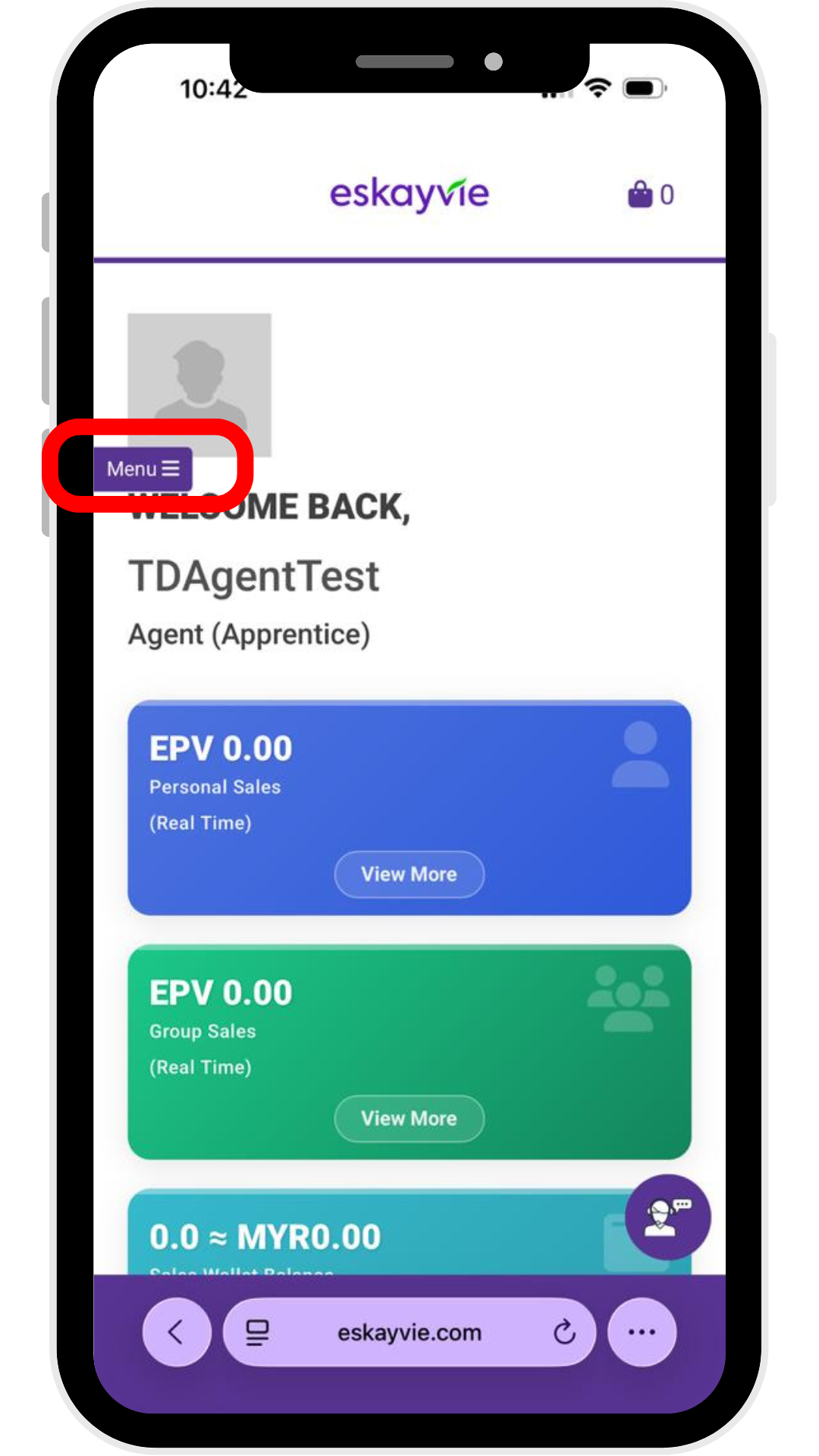
Step 3: Click "My Account" & click "Menu"
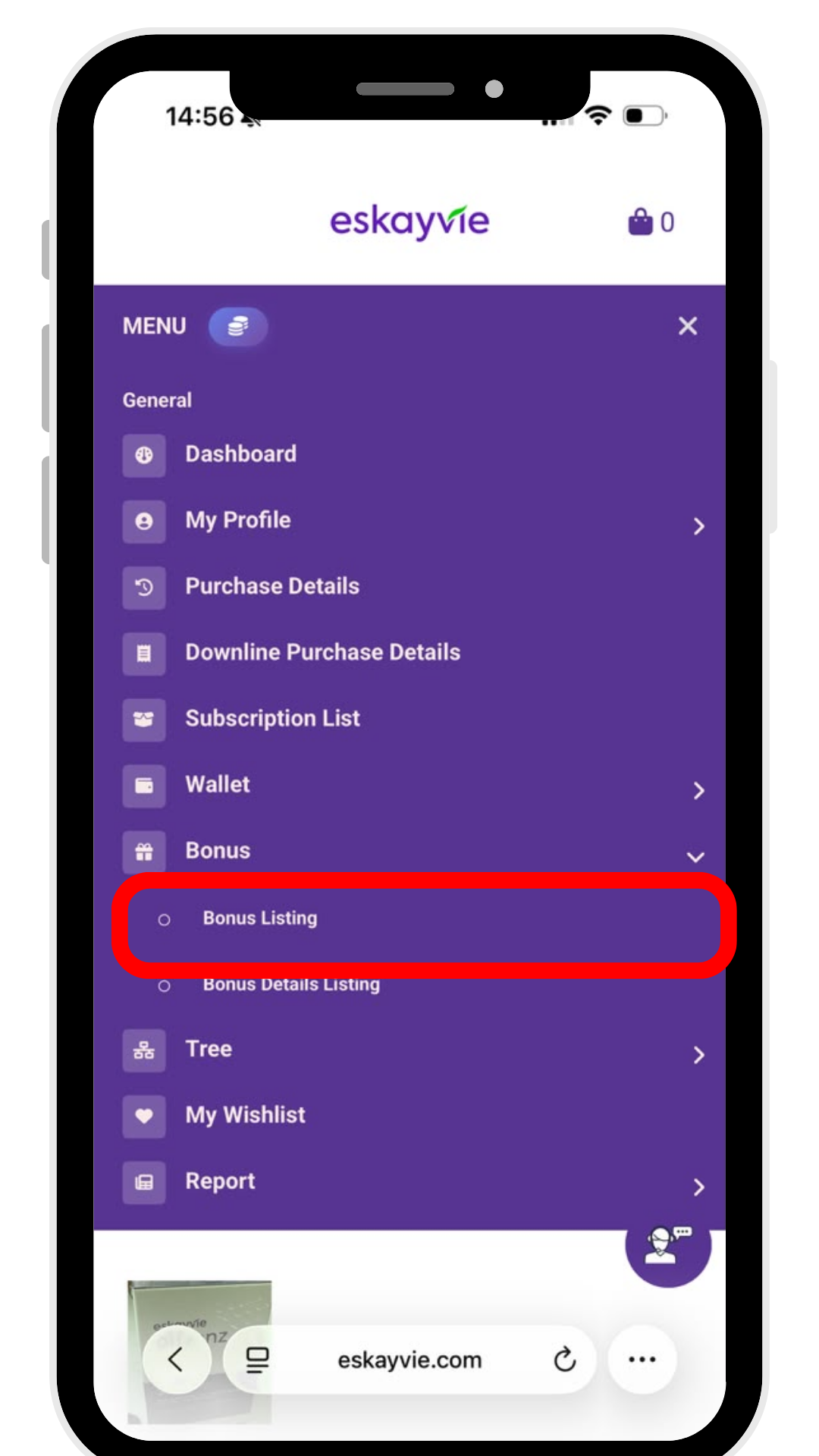
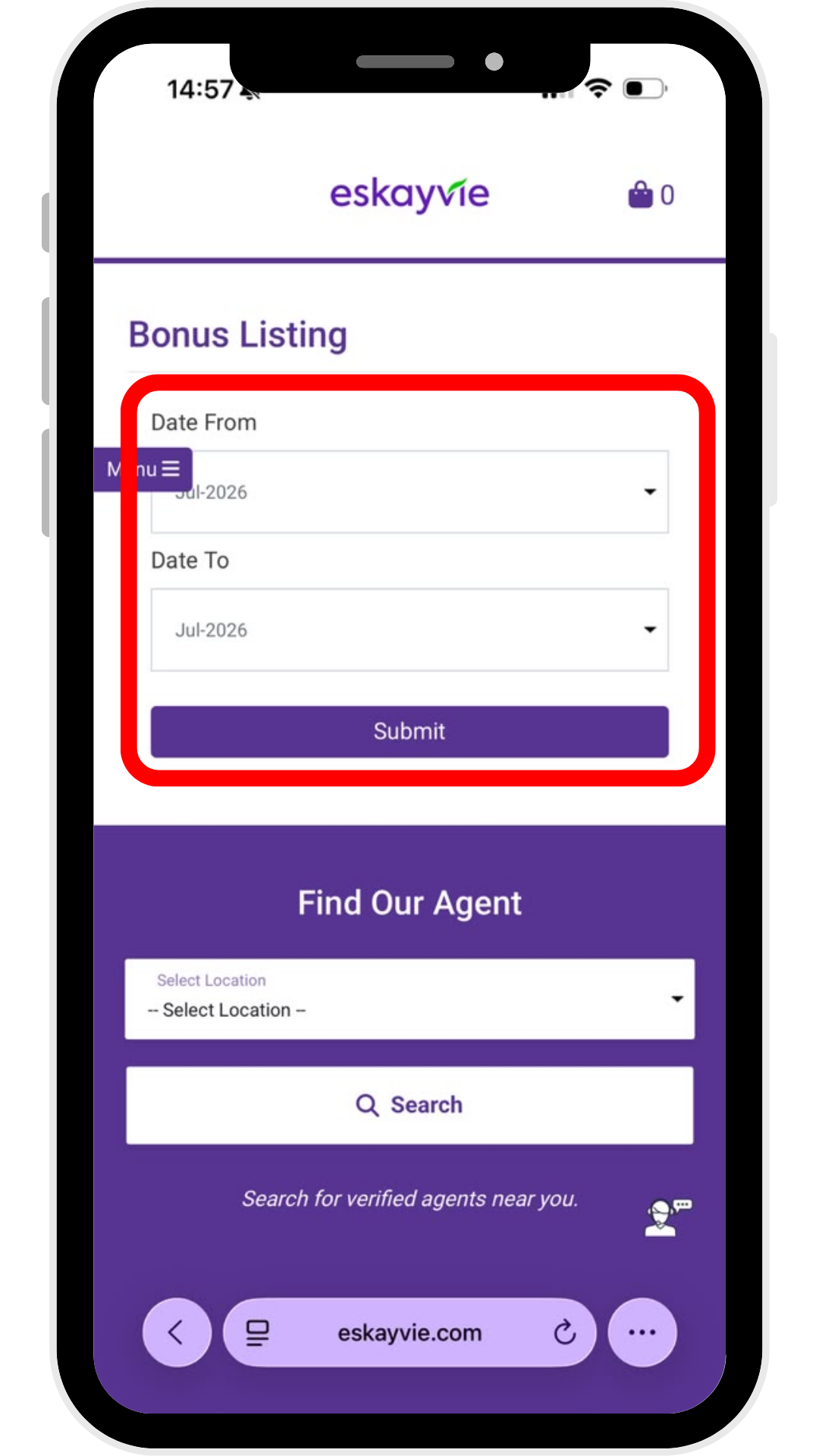
Step 4: Click Bonus > Bonus Listing, then filter for your desired month.
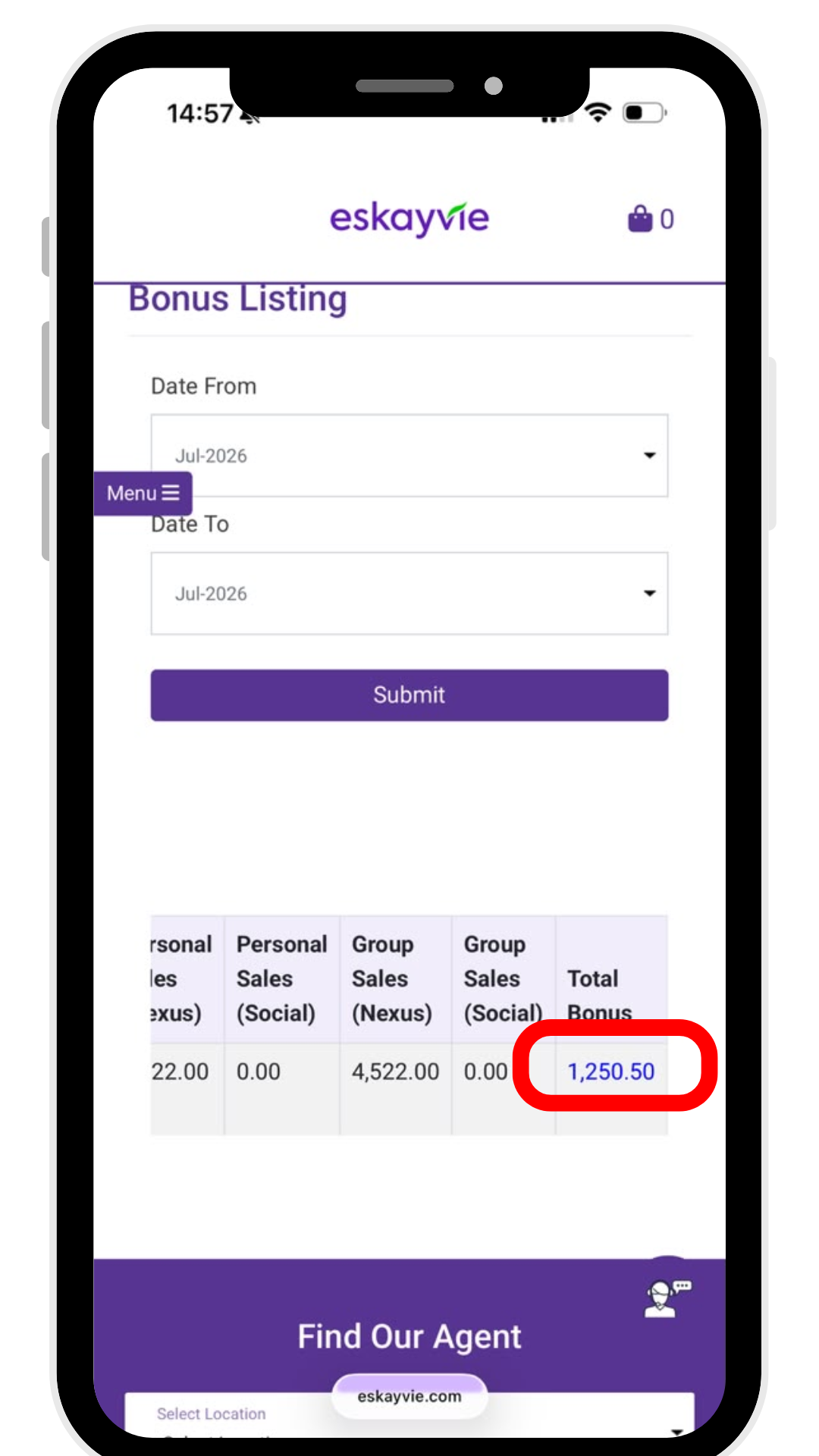
Step 5 : After submitting, click the amount under Total Bonus to view your full bonus statement.
Step 2: Enter your Username & Password
p/s: Forgot your username? Please reach out to our Customer Support team.
Step 3: Click "My Account" & click "Menu"
Step 4: Click Bonus > Bonus Listing, then filter for your desired month.
Step 5 : After submitting, click the amount under Total Bonus to view your full bonus statement.